What are Agent Goals?
Tool call logs show you what happened in a session, but not why. Agent Goals use AI to classify the goal behind each session, turning raw event data into actionable insight about what your users are trying to do and whether they were successful. Agent goals was built with a full product workflow in mind, helping you answer questions like:- What are the most common use cases for agents using my product?
- How often are those use cases successful vs. not?
- What are new use cases?
How Goals Work
MCPcat’s AI analyzes patterns across your project’s sessions to generate a set of goals. To start classifying goals, we need a minimum threshold of sessions and tool calls so our algorithm can begin clustering and classifying common goals:| Requirement | Threshold |
|---|---|
| Sessions | ~200 sessions in the project |
| Tool calls | ~1,000 tool call events |
Session Goal
In each Session Replay, you can find the session goal. The session goal includes information that helps you understand what the goal was for that session and whether it was achieved or not.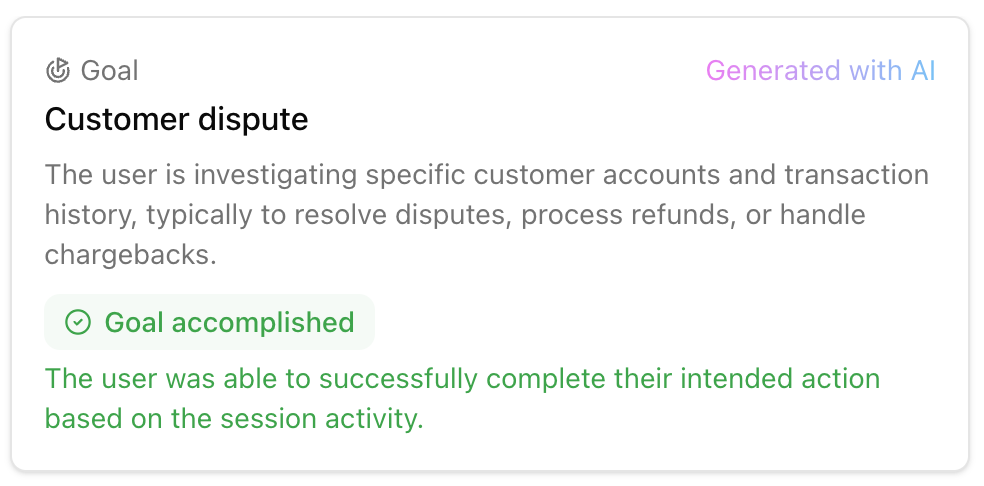
| Property | Description |
|---|---|
| Name | A short label for the goal |
| Description | A longer explanation of the user intent |
| Status | Whether the goal was accomplished or failed for a given session |
| Reasoning | AI-generated explanation of why the goal was classified as accomplished or failed |
- Learning: The project doesn’t have enough data to generate goals
- Processing: This individual session is still being analyzed or has not yet completed
- Active: Goals are available and ready to view
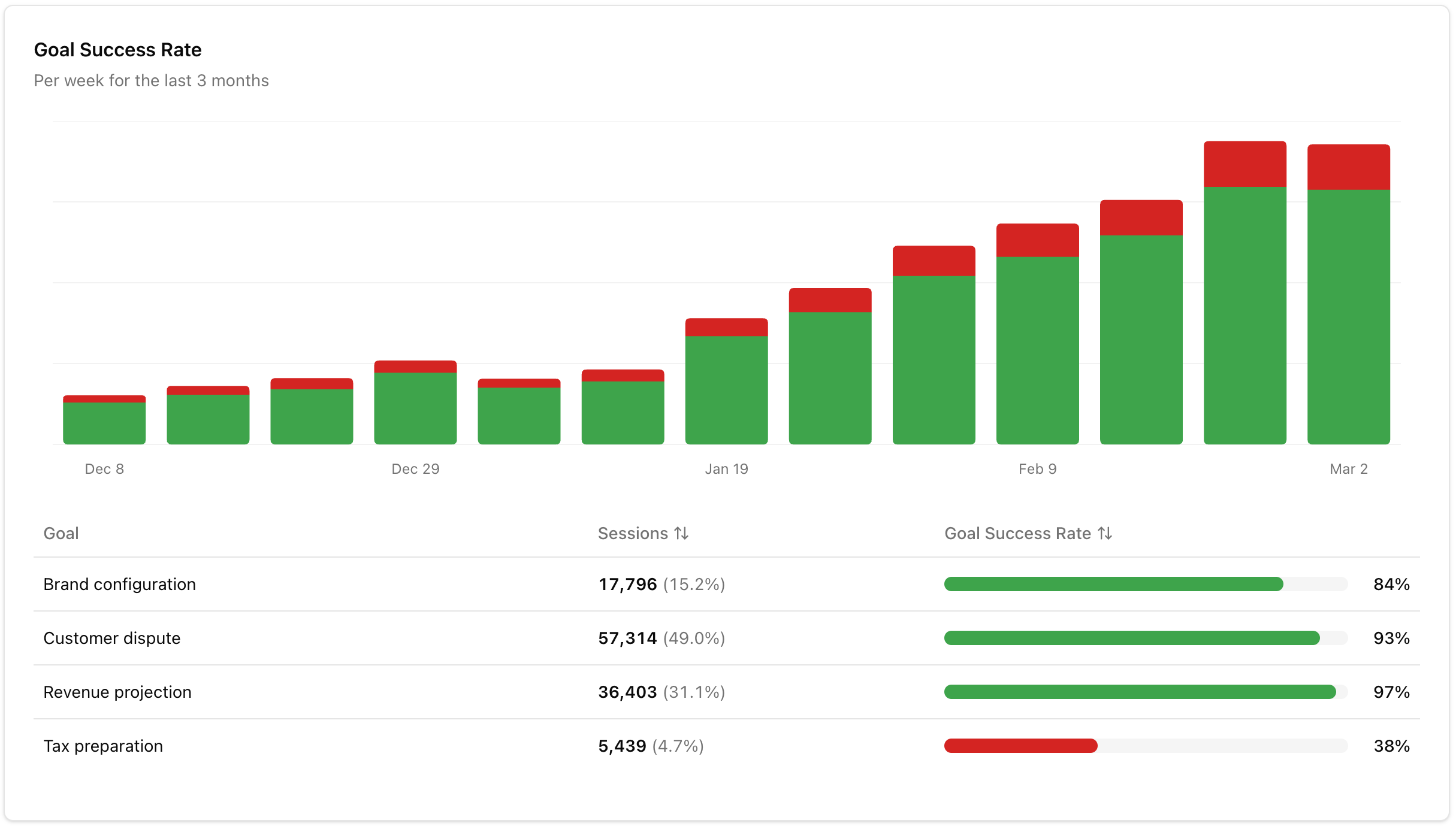
Goal Success Rate