

What are Issues?
Errors scattered across individual sessions are hard to triage. You might see the same tool failing for dozens of users without realizing it’s the same root cause. MCPcat’s Issues feature automatically groups related errors, tracks their impact, and shows you trends over time so you can prioritize what to fix. But agents also make lots of AI-specific errors that still show up as a “successful” tool call. Our error grouping also identifies hallucinations, tool schema mismatches, goal misalignment, and other AI errors so you can understand how often those problems are occuring.How Issues Are Captured
We capture issues by looking over every tool call in a session and building a broader picture of how that tool call fits into the session, what the goal of the session and that tool call was, and where in the session that tool call occured. The SDK automatically captures issues from multiple sources, including:- Exception messages and types
- Stack traces (when available)
- Request parameters and response data
- The session and user context where the error occurred
Issues List
The issues list shows all detected issues with key metrics at a glance.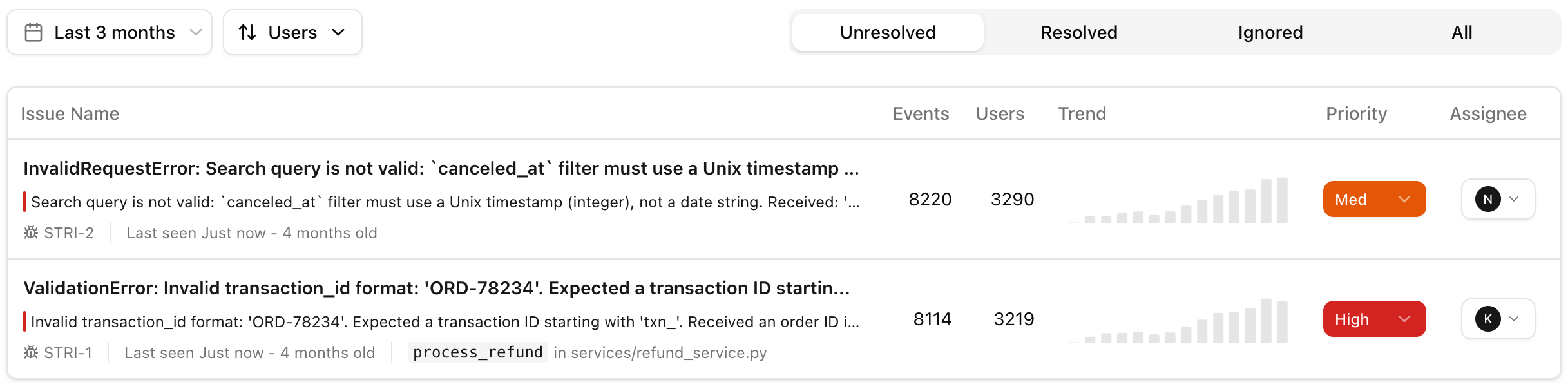
Filters
| Filter | Description |
|---|---|
| Status | Unresolved, resolved, or ignored |
| Date range | Filter by when errors occurred |
| Sort | Sort by events, users, impact, first seen, or last seen |
Issue Detail
Click an issue to see its full breakdown, such as affected users, clients, and recent occurrences. You can also jump into Session Replay for any occurrence to see the full context.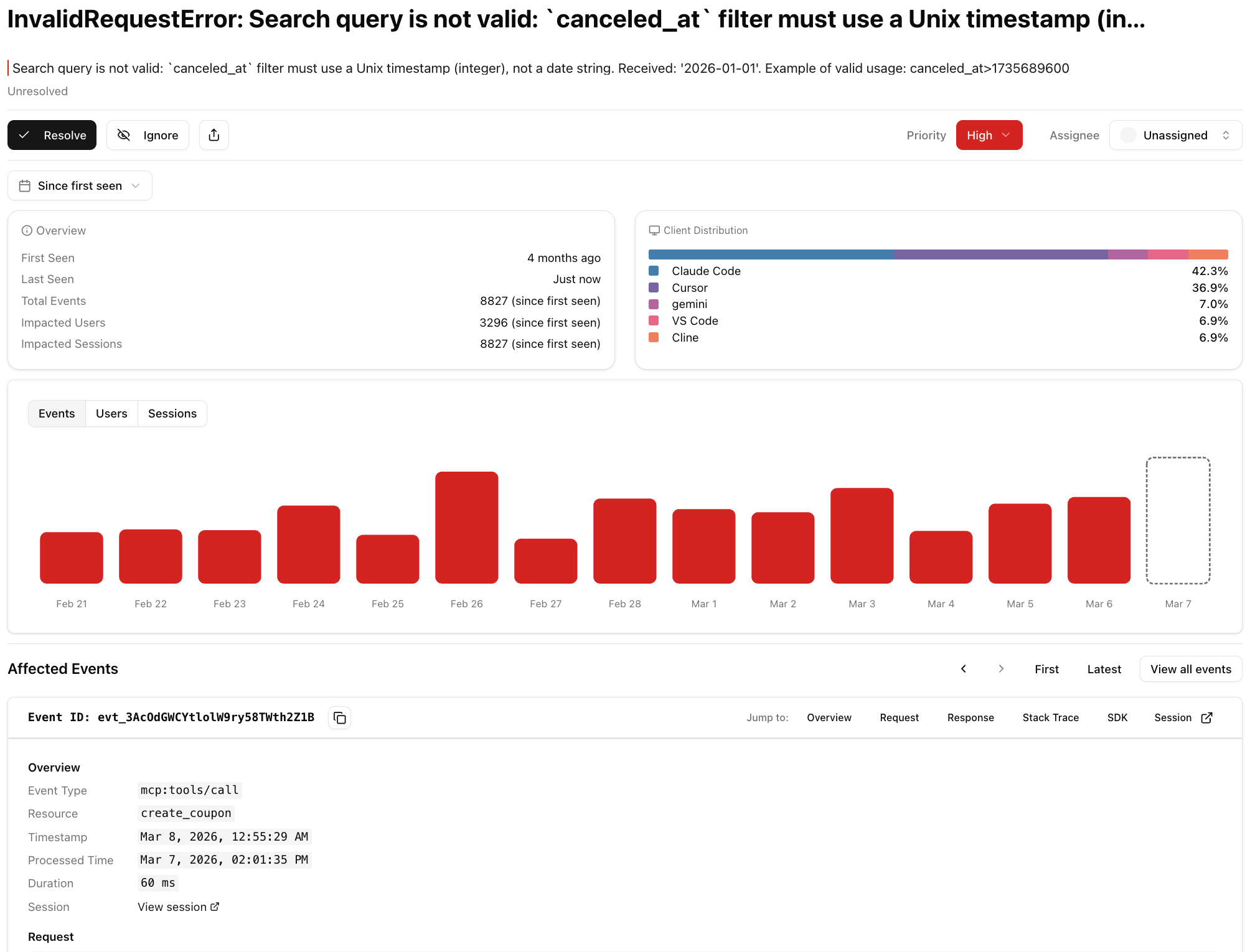
Status Management
| Action | Effect |
|---|---|
| Resolve | Marks the issue as fixed. New occurrences will reopen it. |
| Ignore | Hides the issue from the default list view. |
| Unresolve / Unignore | Returns the issue to unresolved status. |
Assigning an Issue
You can designate an assignee to each issue. This ensures that someone from your team is responsible for looking into an issue, identifying a fix, and ensuring it resolves the issue. You can also assign a priority level to each issue to accurately prioritize its impact.Error History Chart
A bar chart showing error frequency over the last 14 days. Toggle between three metrics:- Events: Total error occurrences per day
- Users: Unique affected users per day
- Sessions: Unique affected sessions per day