

What is Session Replay?
When a user reports an issue or you see an error spike, you need the full context, not just an error message. Session Replay lets you step through every event in a session, see what the user was trying to accomplish, and inspect the exact request and response data for each tool call.Session List
The sessions page shows all recorded sessions with filtering, sorting, and pagination.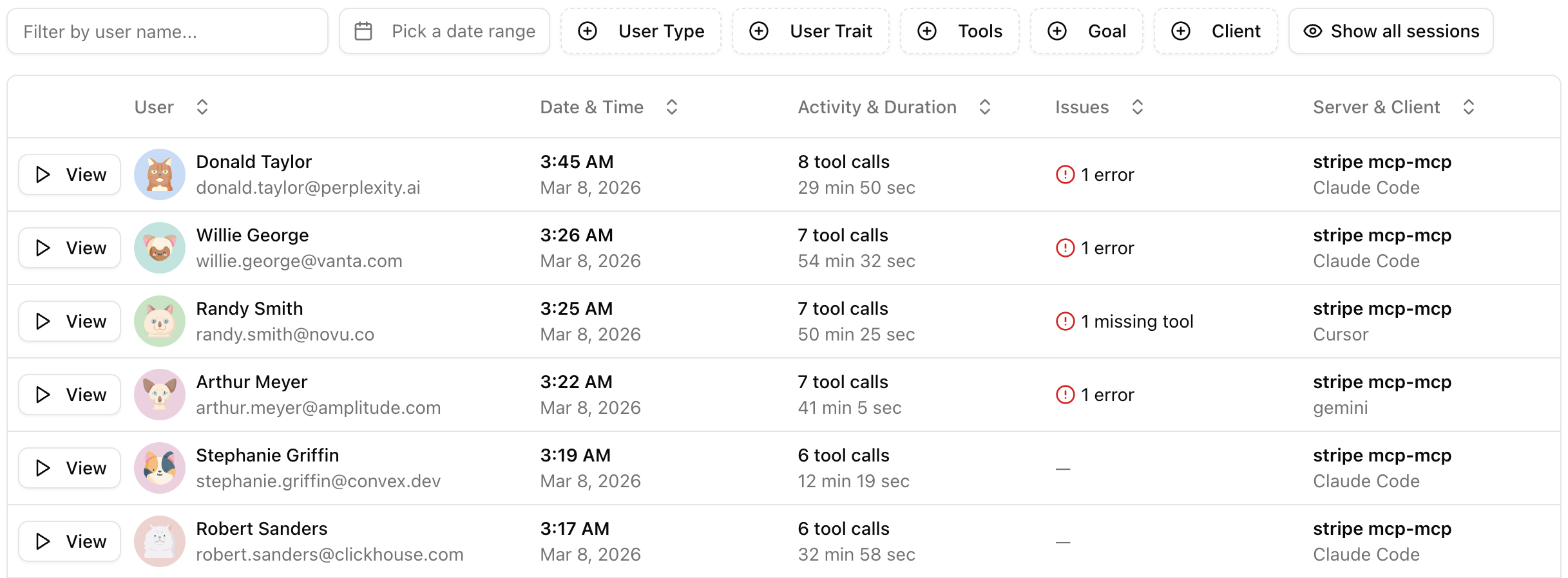
Filters
| Filter | Description |
|---|---|
| User search | Search by user name or ID |
| Date range | Filter sessions by time period |
| User type | Identified or anonymous users |
| Server | Filter by MCP server |
| Client | Filter by AI client |
| Tools | Filter sessions that used specific tools |
| Goals | Filter by session goal (visible when Agent Goals are active) |
| Activity toggle | Show only sessions with activity |
| Actor traits | Filter by user properties set via the identify callback |
Replay View
The replay view uses a two-panel layout: a timeline on the left showing every event in sequence, and a detail panel on the right showing the full data for the selected event.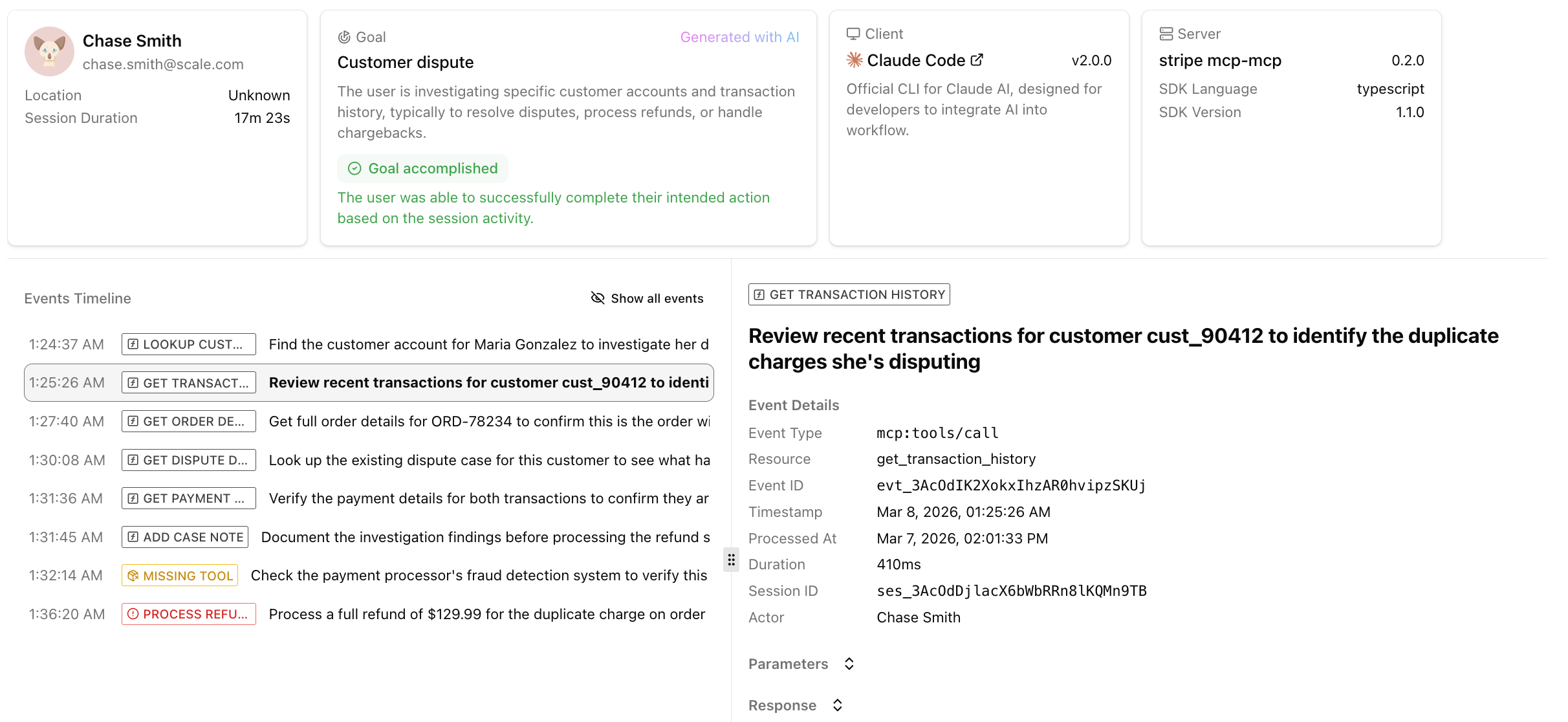
Timeline
The timeline lists every event in chronological order, showing the timestamp, event type badge, and a description. Tool call events show the tool name; custom events show the resource name.- Use the Show/hide list tools toggle to filter out
tools/listevents that add noise - The timeline supports infinite scroll for sessions with many events
Event Detail Panel
Click any event in the timeline to see its full details:- Agent Intent: an explanation from the agent on why it called this tool (see Tool Call Context)
- Error Details: if the tool call errored, the error message and stack trace
- Parameters: the full request arguments
- Response: the tool’s response data
- Event Metadata: information about the event
- Identify Data: information about the user, if available